Amazon / Finance / CSBDIRECT
REVIEW
CSBdirect does community banking on a Fire tablet without apology.
Citizens State Bank's mobile app sticks to the boring fundamentals — check balances, deposit a cheque, move money between accounts — and that restraint is its single best feature.
BY THE APP COMRADE DESK · MAY 11, 2026 · 3 MIN READ


CSBdirect
CITIZENS STATE BANK (FL)
OUR SCORE
6.8
AMAZON
★ 5.0
PRICE
Free

Community banks live or die on the strength of the in-branch relationship, and their apps tend to reflect that priority — competent at the basics, indifferent to the rest. CSBdirect, the mobile front-end for Indiana’s Citizens State Bank, is a textbook example.
It does five things. Balances. Transfers. Bill pay. Cheque deposit. Branch finder. None of those five are reimagined. All of them work. The app’s screen real estate is not competing for attention with a credit-card pitch or a budgeting tool the bank licensed from a fintech partner, and that is genuinely refreshing in a category where most large-bank apps now open on a marketing screen.
There is also nothing here for a customer who wants more than five things. The trade-off is exactly the kind of choice a regional bank has to make, and CSB has clearly made it on purpose.
CSBdirect knows exactly who downloads it and exactly what they came to do, and stops there.
FEATURES
CSBdirect covers the standard regional-bank toolkit: balance and transaction history across cheque, savings, and loan accounts; internal transfers between linked CSB accounts; remote cheque deposit with front-and-back capture; bill pay through the bank's own pay-network; and a branch / ATM locator pinned to the bank's Indiana footprint. Login uses a username and password with optional fingerprint unlock on supported Fire tablets.
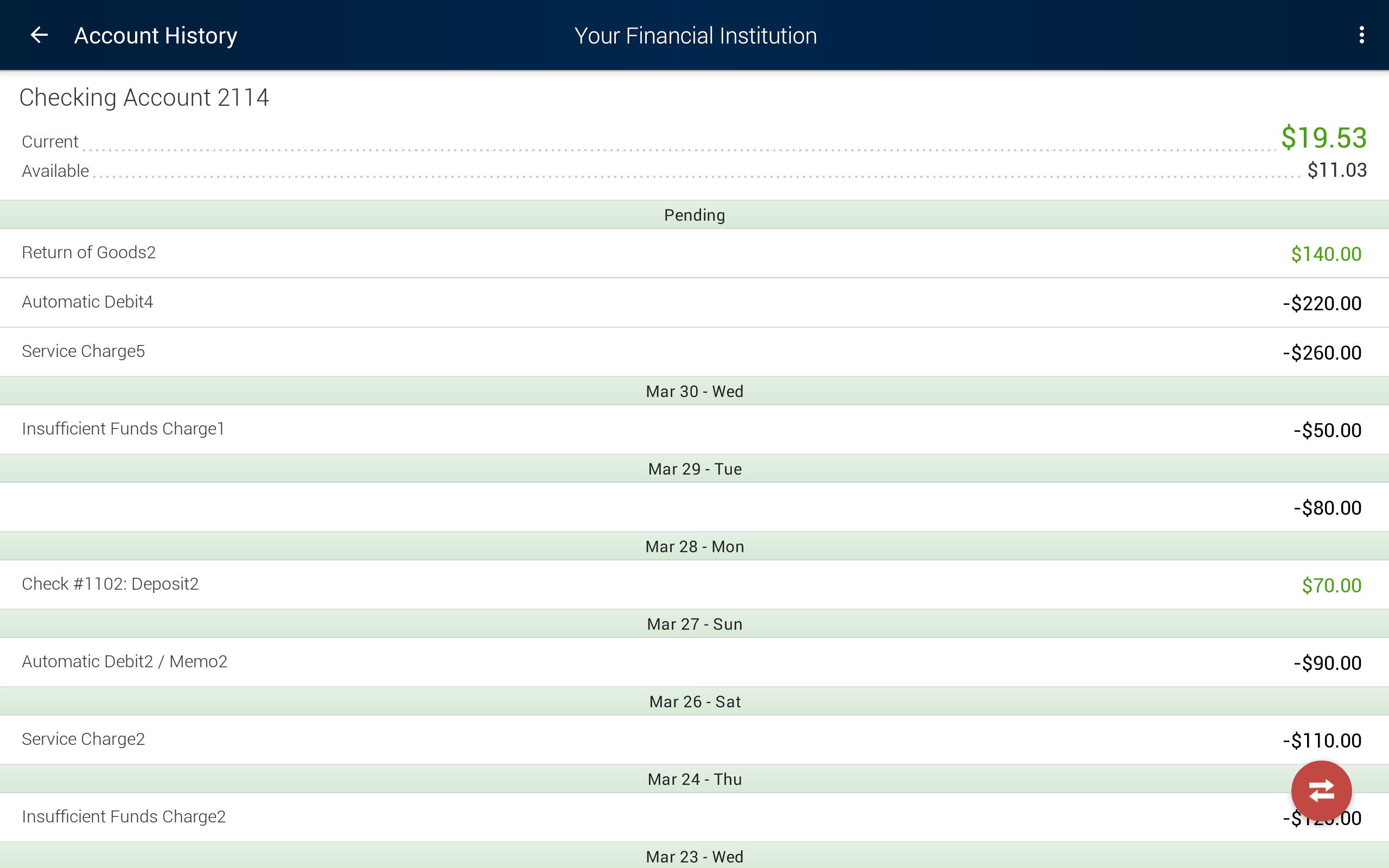
The transaction list is plain text by default — no merchant logos, no category tags, no spending charts. Search is a single text field that matches the description string the bank stores at posting time, which means a Wal-Mart trip shows up as whatever cryptic acquirer descriptor cleared the wire. There is no Zelle, no person-to-person transfer outside the bank's own Popmoney-style rail, and no investment or budget view.
Mobile cheque deposit is the feature most customers actually open the app for. It works, with the usual community-bank caveat that endorsements need to include the "For Mobile Deposit Only" line or the deposit gets rejected silently the next business day.
MISSION ACCOMPLISHED
The app does the small handful of things a community-bank customer needs and stops. Balances load fast on the Fire's slower hardware, deposits clear within a business day, and the bill-pay calendar surfaces upcoming debits without asking the user to opt into a separate feature. There is no upsell layer, no marketing carousel pushing a credit card application above the account list, no aggressive permission requests.
For a customer whose relationship with CSB is the local branch and a couple of accounts, that restraint is the whole point. The app is a window into the same statement the teller can pull up, not a fintech reimagining of personal finance.
ROOM TO IMPROVE
The interface is dated even by 2026 regional-bank standards. Typography is the platform default at small sizes, navigation is a tab bar with five icons that look generic, and the design has not had a visible refresh in years. The cheque-deposit camera viewfinder uses a fixed crop guide that struggles on the smaller Fire 7 screen — landscape mode helps but the app does not rotate.
Functionally, the gaps that matter are Zelle and any kind of external-account view. Most community-bank customers in 2026 also use Venmo, Cash App, or Zelle through a larger bank, and the absence forces a constant context switch. There is no dark mode, no widget, and no Alexa skill — a strange omission on an Amazon-platform app from a bank whose customers skew older and would benefit from voice access.
CONCLUSION
CSBdirect is what it has to be: the Citizens State Bank counter, reachable from a Fire tablet on the kitchen table. Install it if you bank with CSB and want to deposit cheques without driving to the branch. Skip it if you are looking for an actual mobile-banking experience — the bank itself, not just the app, is the wrong fit.