Amazon / Customization / ANIME 4K WALLPAPERS
REVIEW
Anime 4K Wallpapers is a pretty grab-bag with a copyright problem.
A free Fire-tablet wallpaper pack with thousands of high-resolution anime stills, almost none of which the developer appears to have any right to distribute.
BY THE APP COMRADE DESK · MAY 11, 2026 · 3 MIN READ

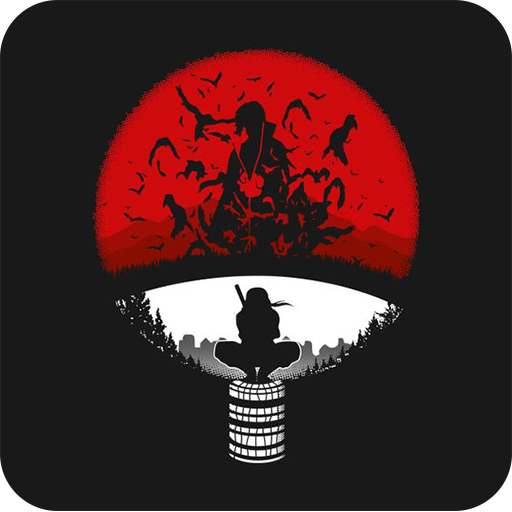
Anime 4K Wallpapers
SPACEZER
OUR SCORE
5.5
AMAZON
★ 5.0
PRICE
Free


Wallpaper apps are the back alley of every app store, and the Amazon Appstore’s anime aisle is one of the louder ones. Search “anime wallpapers” on a Fire tablet and the same dozen apps surface — almost identical UIs, almost identical thumbnails, almost identical five-star ratings from accounts that have rated nothing else. Anime 4K Wallpapers sits near the top of that pile.
The reason is the file size. Most of the competitors ship 1080p assets that look soft when stretched across a Fire HD 10’s 1920×1200 panel. This one ships at or near 4K, and on a tablet that’s used as a bedside picture frame as often as a content device, the difference reads.
The catalogue is impressive only until you realise it is a redistribution layer, not a collection. None of the art is credited. None of it is visibly licensed. The download button works anyway.
The catalogue is impressive only until you realise it is a redistribution layer, not a collection.
FEATURES
Anime 4K Wallpapers is a free Fire-tablet wallpaper browser organised around a long scrolling grid of high-resolution stills — character portraits, key art, screencaps from popular series. Tap a thumbnail to view, then save to the device or apply as the home / lock screen image. There is a basic search box, a small set of category buckets (Naruto, Demon Slayer, Jujutsu Kaisen, My Hero Academia, and so on), and a favourites tab.
Images load at 4K or near-4K resolution, which is the app's selling point on a Fire HD 10 or HD 8 Plus where most wallpaper packs ship at 1080p. There is no editor, no live wallpaper engine, no parallax. It is a gallery of static JPEGs with a download button. Monetisation is interstitial ads between previews and a banner along the bottom — frequent, never quite skippable on the first beat, and the source of nearly every one-star Fire review.
MISSION ACCOMPLISHED
The resolution is the one honest win. On a high-DPI Fire tablet the difference between a 1080p anime wallpaper and a 4K one is genuinely visible, and most of the free competitors on the Appstore ship the smaller files. Loading is fast, the grid scrolls without jank on hardware as old as the 2019 Fire HD 10, and the favourites tab persists across launches without an account.
The category curation is also better than the surrounding shelf-fill. Searches for the major shounen franchises return dense, on-topic pages instead of the keyword-stuffed mush typical of Fire wallpaper apps.
ROOM TO IMPROVE
The art is the problem. The catalogue is built almost entirely from official key art, anime studio production stills, and fan illustrations lifted off Pixiv, DeviantArt, and Twitter — none of it credited, none of it visibly licensed. Toei, MAPPA, Ufotable, Bones, and Kyoto Animation are not in the habit of giving away 4K masters for an Amazon wallpaper app. The fan pieces are worse, because the original artists are identifiable and uncompensated. The app does not name a single illustrator or rights holder anywhere in its listing or its UI.
The ad load is the other issue. An interstitial fires roughly every third image preview, sometimes twice in a row, and at least one Fire reviewer reports the banner blocks the "apply as wallpaper" button on the smaller HD 8 screen until the page is reloaded. There is no paid tier to remove ads, which is unusual for a Fire app at this scale.
CONCLUSION
If you want a 4K Naruto lock screen on a Fire tablet this afternoon, Anime 4K Wallpapers will deliver one in about three taps. Whether you should is a separate question. Pay-what-you-want services like Pixiv, official studio merch sites, and Crunchyroll's own wallpaper drops are the route that compensates the people who made the work. This app is the route that doesn't.